Patch Windows XP to use unsigned visual styles
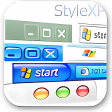
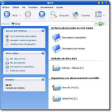
Style XP allows you to expand the customization features of Windows XP and gives you the power to install new themes that break the mold of the existing XP shell.
If you’re one of those people who spends most of their free time tinkering with your mobile phone ringtone or reorganizing your bedroom, then StyleXP could become your new favorite toy.
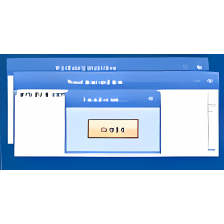
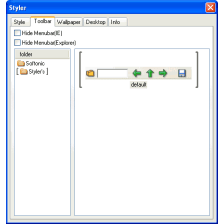
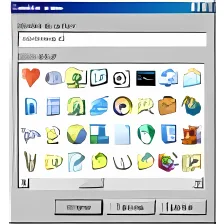
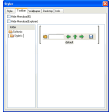
Style XP works by patching your operating system to accept unassigned styles, scores of which are available for download from the web. Once you've applied a style you can tweak virtually any aspect of the appearance, including the font size, screensaver, colors, menu transparency, or even the boot screen. What’s more, if you're particularly artistically minded you can to create your own elements in a graphics editor and apply them to the skin in Style XP.
Although the developer has made strides towards making the interface as simple as possible, there are so many customization options that it can be a little daunting for new users of Style XP.
There's no doubt that the temptation to make Windows look like OSX or apply a 'Windows Pirate Edition' boot screen is pretty appealing, but pimping your OS in this way does come with a risk. It’s worth bearing in mind that because of the way the Style XP writes files to your system folder you could end up doing damage to your machine, especially if you install a patch or a new service pack.
Having said this, we've experienced no problems yet (touch wood) and also found that Style XP runs pretty smoothly without sucking too much RAM. You can choose to keep Style XP locked in the System Tray, or release it so that it uses no resources, which is a refreshing thing to see from a developer.
With so many themes and customization options available, Style XP is well worth a look if you fancy a change of scenery on your desktop, but keep in mind the risks involved in using a patching program such as this.
.png)
.png)






















User reviews about Style XP
by Anonymous
wrong version of XP ?!?!?!?!.
Installed just fine.. but on running it I get a "wrong version of XP", followed by a long digit of what my version is, followed by a list of about 20 numbers stating what versions StyleXP DOES work with [of course mine is not listed].
And here I thought XP came in Home and Professional addition, up to SP3. I never realized that XP had 20 [give or take] different versions.
What skins I saw listed looked great, too bad I can't use it. Not sure how to get one of those dozens of versions that are usable.If any one out there knows what's going on, feel free to let me know.
Pros:
The skin examples look great...
Cons:
see my review!!!!!!!! More
by Anonymous
English would be good.
I have downloaded and installed but NO English. I hit the sprache tab and there is only Deutsch there. NO option for English.
Pros:
Looks nice
Cons:
I don't sprechen ze deutsch. More
by Anonymous
Works well, until you want to install on your new PC.
The application worked well for me. Good wallpapers and no problem. However, the installation is bound to a specific key generated based on your configuration .... and then the problem starts when you want to use it on a new pc. I requested a new key for a number of times, but no response at all.Gone 20 bucks....
Pros:
Does what it says
Cons:
Transfer to new pc
No response from creator/distributor More
by Anonymous
ITS VERY GOOD.
I think style XP more excited than other application similar.
nice jobs.
please makes a lot of theme with a magnificent picture with high resolution.
thanks salluuut 4 u. More